Apple Finally Makes a Touchscreen MacBook. Why Did It Change Its Mind?
What has Apple changed?
For years, reaching out to touch a MacBook’s screen achieved little beyond leaving a fingerprint. Apple has finally given that finger something to do.
On October 28, the company introduced its first touchscreen MacBook Pro, available in 14-inch and 16-inch versions. The announcement reverses a position Apple defended long after touchscreen laptops became familiar elsewhere in the computer market.
The new models combine touch with an OLED display and M5 Pro or M5 Max processors. They retain the keyboard and trackpad. Touch becomes another way to operate the computer.
The larger question is why Apple now believes an interaction it resisted for years belongs on its professional laptop.
WHY DID APPLE OPPOSE TOUCHSCREEN LAPTOPS?
Its most memorable objection concerned the human arm.

Look Who's Talking Regime Change
23 Oct 2026 - Vol 05 | Issue 43
At Apple’s October 2010 “Back to the Mac” presentation, Steve Jobs described vertical touchscreens as “ergonomically terrible”. The argument was that repeatedly reaching towards an upright display becomes tiring.
The underlying design problem is easy to understand. At a keyboard or trackpad, your hands can rest near the desk. Touching a laptop screen requires lifting an arm, reaching forward and returning to the keyboard.
A gesture that feels effortless on a phone held in the hand may become awkward when repeated across a working day.
That objection deserves a fair hearing even now. A touchscreen can be useful for a quick action without becoming the most comfortable way to operate an entire computer.
SO, WHY HAS APPLE CHANGED ITS MIND?
Apple’s announcement presents touch as an additional tool that works alongside established controls. It describes a redesigned hinge intended to steady the screen during interaction.
Our reading is that this makes the proposition narrower than replacing the mouse or trackpad with fingers.
A user might type a paragraph, tap an item on the display and return to a keyboard shortcut. The feature succeeds if those occasional interactions are useful enough to become habitual.
But Apple’s announcement cannot settle why the company waited this long. Nor does the arrival of new hardware prove that its original ergonomic concerns have disappeared.
The test is whether the benefits of touching the screen outweigh the inconvenience of reaching for it.
WHAT WOULD YOU ACTUALLY USE IT FOR?
Apple’s examples include moving presentation slides, manipulating visual content and playing software instruments directly on the display. Its creative apps are also gaining touch interactions for tasks such as handling video clips and working on designs.
These examples suggest where direct manipulation could help. If you can see an object, reaching towards it may feel more immediate than steering a pointer.
Precision creates a different challenge. A finger covers part of the object it is selecting. Small buttons and tightly packed controls can be harder to target.
An occasional tap to pause playback is also a very different proposition from editing a complicated spreadsheet for several hours.
The useful question is which tasks become quicker or easier. That requires independent testing beyond a launch demonstration.
DOES MAC SOFTWARE NEED TO CHANGE TOO?
Yes. A touch-sensitive panel is only one part of the experience.
Desktop interfaces often assume a small, precise pointer. Fingers need enough space between controls to avoid accidental selections. Software must also distinguish between gestures intended to scroll, move an object or activate a command.
Apple has published developer resources, videos and labs to help app makers prepare for Touch on Mac.
That developer work matters because basic compatibility and a comfortable touch interface are different achievements.
A button may respond when tapped while remaining awkwardly small. An app may accept touch input without offering any compelling reason to lift a hand from the trackpad.
The quality and consistency of those experiences will influence whether touch becomes a useful Mac feature or something owners remember only occasionally.
WHERE DOES THIS LEAVE THE IPAD?
It makes the buying decision more interesting.
Touch has been a defining part of the iPad experience. Giving the MacBook a touchscreen introduces another area of overlap, but screen input alone does not make two devices equivalent.
Buyers still need to consider their software, working posture, portability and preferred way of creating or consuming content.
Someone who needs desktop applications may welcome occasional touch controls on a laptop. Someone who wants a tablet they can hold, carry around or place flat on a table may have a different requirement.
The strategic question for Apple is how clearly it can explain those choices as capabilities converge.
There is no basis in this announcement alone to conclude that Apple is merging the Mac and iPad operating systems.
WHAT DOES IT MEAN FOR INDIAN BUYERS?
The starting price puts this firmly in expensive professional-computer territory.
Apple lists the 14-inch touchscreen MacBook Pro with M5 Pro at ₹3,49,900 in India. The 16-inch version starts at ₹4,09,900. Its India-specific availability section lists November 9 for customer deliveries and store availability.
That makes value a central part of the story.
The entire price difference between this machine and another MacBook cannot be described as a touchscreen surcharge. The display, processor, memory, storage and other specifications also need to be compared.
For a buyer, the practical calculation is how well the whole computer serves the work. A touch feature that saves time in a frequently used application may matter. One rarely used during the working day offers a weaker reason to upgrade.
HAS APPLE PROVED STEVE JOBS WRONG?
It has changed its product decision. The ergonomic question remains open.
A steadier screen can address movement when tapped. Well-designed software can make controls easier to select. Neither automatically removes the effort involved in repeatedly reaching forward.
Apple’s strongest case will emerge if users find themselves touching the screen because it helps them complete a task.
Sixteen years after Jobs’s objection, the company has put that proposition into a MacBook. Buyers and developers will determine how often the finger leaves the trackpad.
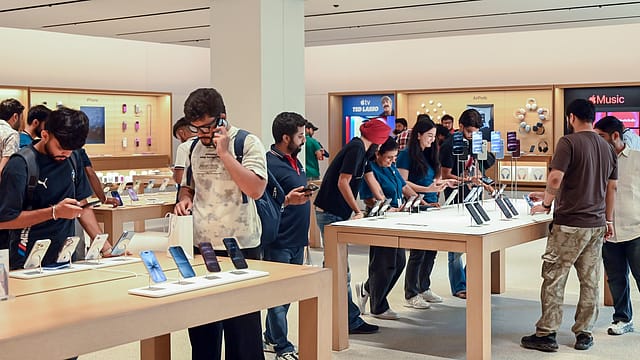
Lead-picture caption: Apple has redesigned the MacBook Pro’s hinge to improve stability during touch input. Whether repeated reaching remains comfortable will be a key test beyond the launch demonstrations.