ChatGPT Is Killing Two Voice Modes. Why Is It Betting on Live?
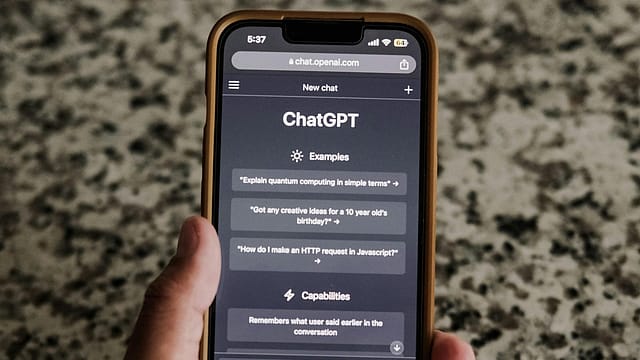
OpenAI is set to retire two ways of talking to ChatGPT. Standard Voice was the original version, introduced in 2023 so people could have a conversation without typing. Advanced Voice made the exchange quicker by letting the AI work directly with sound. On December 11, both options come off the menu and users who selected either will move to Live, the mode OpenAI introduced in July.
If you use voice to practise a language or talk through an idea, the immediate change is in how the conversation flows. Live can hear you while it speaks, so you can add a detail in the middle of an answer. Your old conversations stay in your history. If you use the camera or share your screen during a voice chat, OpenAI says the older Advanced system will still handle those features for now.

The Wealth Issue 2026
06 Nov 2026 - Vol 05 | Issue 45
Portraits of Dreamers and Doers under 35
Why did ChatGPT start talking in the first place?
OpenAI wanted people to be able to use ChatGPT when speaking was easier than typing. At launch in September 2023, it suggested using voice to ask for a bedtime story or settle a dinner-table debate. The first rollout was on iPhones and Android phones for Plus and Enterprise users. The idea was that you could ask a question, hear an answer and follow up out loud.
Why did OpenAI build Advanced Voice?
The original system worked in three steps. One program turned your speech into text. A second read the text and wrote an answer. A third read the answer aloud. Those handoffs added time, and the model writing the reply saw the words but missed some of the cues in how you said them. In 2024, OpenAI rolled out Advanced Voice using GPT-4o, which could take in audio and generate audio directly. It could pick up cues such as how quickly you were speaking, though it still waited for its turn to respond.
How does Live change the way you talk to ChatGPT?
It can listen and speak at the same time. Say you’re asking for weekend plans. As ChatGPT starts suggesting places, you can jump in with “We need somewhere indoors.” Live can take in the new detail mid-reply. It can also give a brief acknowledgement when you pause or wait for you to finish a thought. And if a question needs a web search or more work, Live can hand that task to another model and keep the conversation going while it works.
Why retire the older modes now?
OpenAI says most of the switch has already happened. The company says voice usage has nearly doubled since GPT-Live launched on July 8 and that almost everyone using voice in ChatGPT now uses it. The notice leaves the measure of “usage” unspecified. OpenAI says dropping the two choices lets it focus on improving Live, including giving fuller answers, carrying context across conversations and adapting to user preferences.
Will I lose my old voice chats?
OpenAI says the conversations will stay in your ChatGPT history. You can reopen one and carry on by typing or speaking. If you speak, the conversation will use Live. The switch happens automatically for people who had selected Standard or Advanced under Settings → Voice. If you already use Live, you’re already on the mode that will become the default.
Can I still show ChatGPT my screen or use my camera?
Yes, if those features are available on your account. OpenAI says Advanced will continue to power live video and screen sharing until GPT-Live can handle them. There’s another December 11 change for people who use custom GPTs, the versions of ChatGPT set up for specific tasks. They use Advanced for voice and are scheduled to retire that day under a separate policy, with later deadlines for some workspaces. Existing chats with them will remain accessible.
Do other AI assistants let you talk like this?
Yes. Google’s Gemini Live lets you interrupt an answer, point your phone camera at something or share your phone screen while you talk. You can also interrupt Microsoft Copilot by speaking. If your account has Copilot Vision, you can show it your desktop screen or use your phone camera during the chat. Anthropic’s Claude offers hands-free conversation that you can interrupt by speaking again. In a noisy room, you can hold down a button to speak instead.
Can I use Live in Hindi without paying?
OpenAI lists limited Live access on the Free plan. Its voice guide lists two Hindi speaking voices, Leher and Neer, and says available voices can vary by account or region. You can set your preferred speech language in Settings → Voice → Language or ask ChatGPT to switch during the conversation. Google began adding Hindi to Gemini Live in 2024, so Indian users have another option to try.
When will Live be able to do everything Advanced does?
The next milestone is getting GPT-Live to handle the camera and screen. OpenAI has set December 11 for the voice menu change and has yet to give a date for that second handover.